iMac service job
Setting up an older iMac with OS X Mavericks for Adobe CS5
A customer had been looking for an older iMac specifically to run Adobe Creative Suite 5. They wanted the machine set up with OS X Mavericks, rather than a newer version of OS X.
Finding the right iMac
We did not have a suitable iMac available at the time, so the job effectively had to wait until the right machine came along. Eventually, a suitable older iMac arrived as e-waste.
The machine was still functional and was a good candidate to put back into use, so it was set aside for the customer. The hardware side of the job was straightforward. The difficult part was getting a clean installation of Mavericks onto it in 2026.
Identifying an existing Mavericks installer
I already had a USB drive containing a collection of older OS X installers. One of the installers was not labelled properly. When booted, it simply displayed Install OS X, without identifying which release it contained.
Opening Utilities, then Terminal, and running:
sw_versreported:
ProductVersion: 10.9.5This identified the mystery installer as OS X Mavericks 10.9.5, the final release of Mavericks. That appeared to give us exactly the version the customer had requested without needing to create any new installation media.
The Mavericks installer would not verify
After starting the installation, Mavericks stopped with the following error:
This copy of the Install OS X Mavericks application can't be verified. It may have been corrupted or tampered with during downloading.
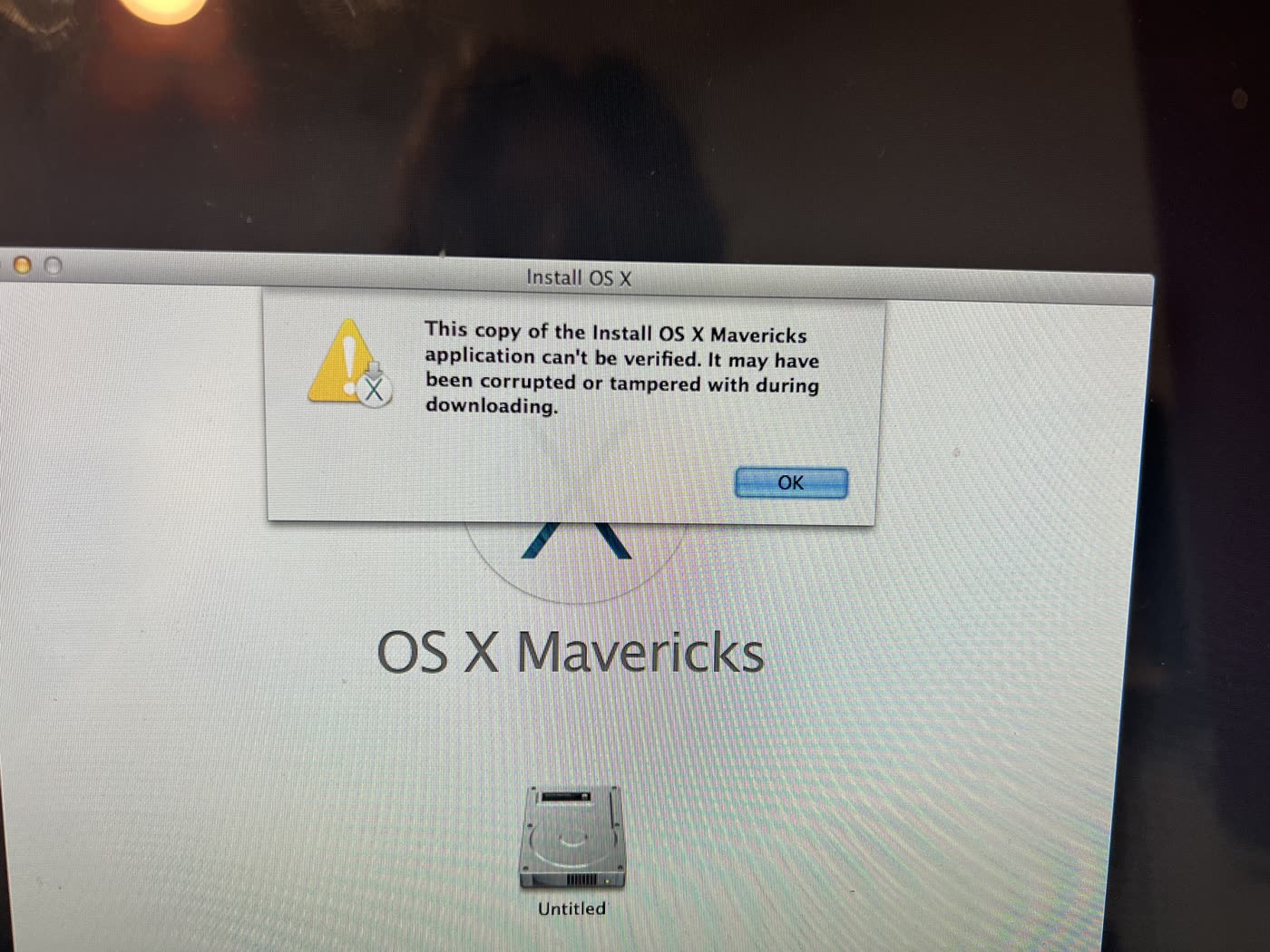
This can happen with old OS X installation media because of the certificates used to sign the installers. A common workaround is to temporarily set the Mac's clock to a date when the installer certificate was valid.
From Terminal I initially tried setting the date to January 2014:
date 0101120014The system date changed successfully, but the installer continued to produce the same verification error. At that point there were two possibilities: either the date workaround was not correct for this installer, or the old Mavericks installer on the USB was damaged.
Finding Mavericks in 2026
Getting hold of a complete Mavericks installer turned out to be more difficult than expected. Modern utilities such as Mist can retrieve installers for many older versions of macOS, but Mavericks is no longer available through the catalogues Mist can access.
I eventually found a Mavericks 10.9.5 ISO and tried using that instead. On another iMac, I identified the USB drive using:
diskutil listThe ISO wrote to the USB successfully using dd, but when the USB was connected to the target iMac it did not appear in the Mac's boot menu. The ISO was not suitable for simply writing directly to a USB and booting on the Mac.
Finding the full Mavericks installer
The next step was finding an archived copy of the complete Mavericks installer application rather than another ISO. The copy I found was packaged as:
Install OS X Mavericks.app.zipIt was approximately 5.2 GB compressed. After transferring the ZIP file to an iMac and extracting it, I had the complete application:
Install OS X Mavericks.appThe iMac being used to prepare the installation media was running macOS Monterey. Trying to open the Mavericks application normally produced another error:
This copy of the "Install OS X" application is too old to be opened on this version of OS X.
Monterey did not need to run the Mavericks installer. It only needed to create a bootable USB from it.
Checking the installer contents
Looking inside the application bundle confirmed that it contained the Mavericks installation image:
Contents/SharedSupport/InstallESD.dmgMore importantly, it also contained Apple's createinstallmedia utility:
Contents/Resources/createinstallmediaThat meant the installer itself could be used to create a proper bootable Mavericks USB.
Creating the Mavericks USB on Monterey
The USB drive was erased using:
Format: Mac OS Extended (Journaled)
Scheme: GUID Partition Map
The extracted application was then placed at:
/Applications/Install OS X Mavericks.appEven though Monterey refused to launch the application itself, the old createinstallmedia executable could still be run directly from Terminal:
sudo "/Applications/Install OS X Mavericks.app/Contents/Resources/createinstallmedia" \
--volume /Volumes/MavericksUSB \
--applicationpath "/Applications/Install OS X Mavericks.app" \
--nointeraction
To my slight surprise, it worked. The utility erased the USB, copied the Mavericks installation files and made the drive bootable. When connected to the older iMac, the new USB appeared correctly in the boot menu and successfully loaded the Mavericks installer.
Back to the same verification error
With a freshly created USB made from a different copy of Mavericks, I started the installation again. It produced the same verification error:
This copy of the Install OS X Mavericks application can't be verified. It may have been corrupted or tampered with during downloading.
That was useful diagnostically. The original USB was no longer the common factor, which brought the system date back into question.
Finding a date that worked
I opened Terminal from the Mavericks installer again and this time set the clock to 2 February 2016:
date 0202020216Running:
dateconfirmed the clock had been changed to approximately:
Tue Feb 2 02:02:00 PST 2016I then quit Terminal and tried the Mavericks installation again. This time the installer passed verification and continued normally. OS X Mavericks 10.9.5 was successfully installed.
The finished machine
The iMac was eventually set up with OS X Mavericks 10.9.5 as requested, ready for the customer's existing Adobe Creative Suite 5 software.
Useful findings from the job
- January 2014 caused the installer verification to fail.
- February 2016 allowed the Mavericks installer to verify.
- The working command was
date 0202020216. - The Mavericks
createinstallmediautility could still run under macOS Monterey.
The iMac itself had originally come in as e-waste. Rather than being dismantled or recycled, it was still suitable for a customer who specifically needed an older Mac and operating system for software from the same period.